
Research Paper Formatter
A free tool that reformats an academic PDF into a comfortable reading layout with room for notes — entirely in your browser.
WebFree, no account needed
Two-column papers with tiny type are hard to read on a screen and harder to annotate on paper. The Research Paper Formatter re-flows a paper into a layout made for reading.
#Formatting a paper
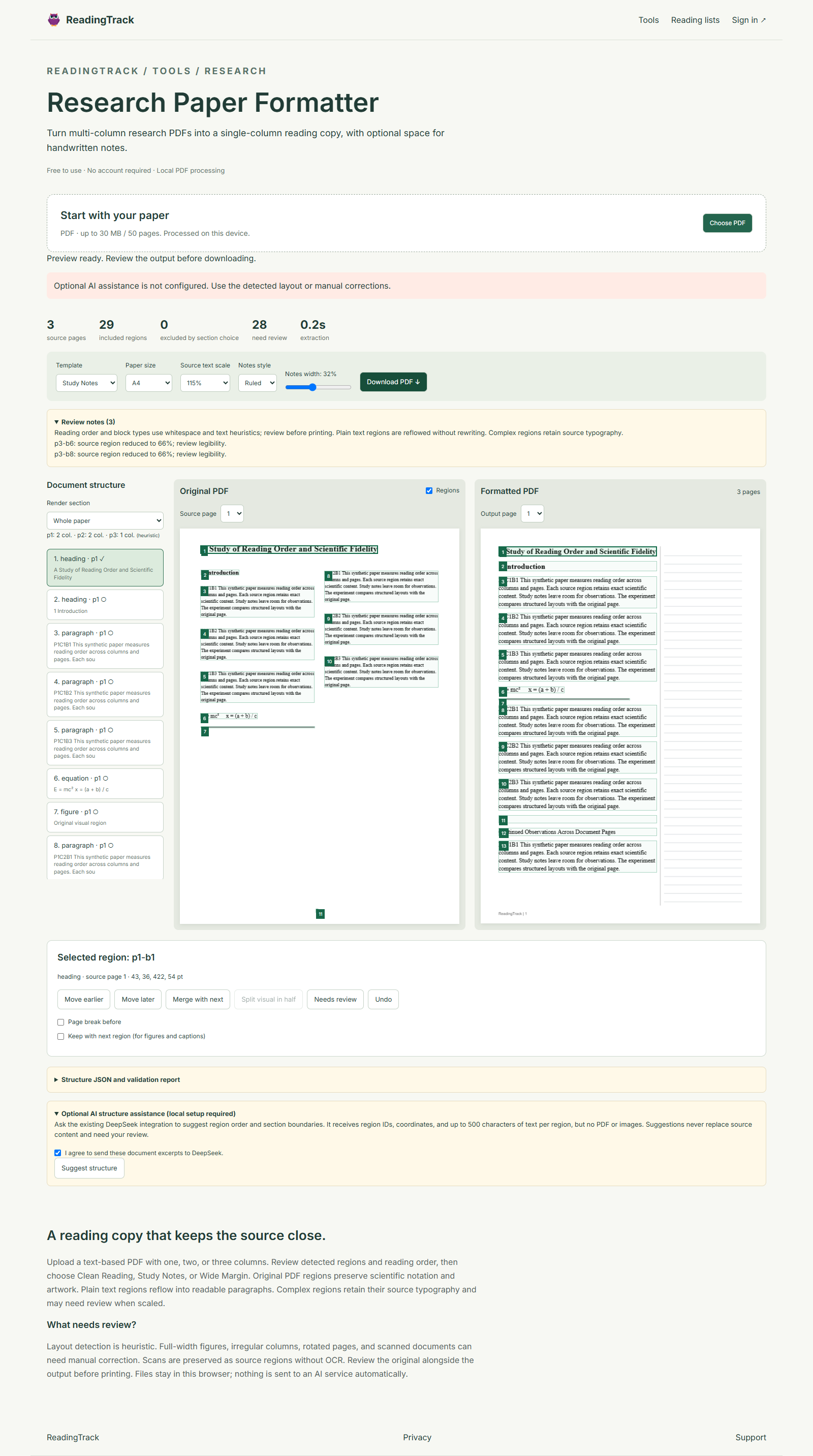
- Select a PDF
Choose a paper from your computer. It never leaves your browser — nothing is uploaded.
- Check the regions
The formatter detects columns, sections, figures and tables. Inspect them and fix anything it got wrong.
- Choose a template
Pick a layout (see below), a page size, and a scale.
- Review warnings
The formatter flags anything it couldn't place cleanly, such as a wide table.
- Download
Save the new PDF and print it, or add it to your ReadingTrack library.
#Templates
| Template | Best for |
|---|---|
| Clean Reading | Single column, comfortable type, on screen or paper. |
| Study Notes | A notes column beside the text for annotating. |
| Wide Margin | Generous margins for handwritten notes. |
#Options
- Page size: A4 or Letter.
- Notes area: blank, ruled or dotted, and how much of the page it takes.
- Choose which sections to include — skip the references, for example.
- Reorder, merge or split sections, with undo.
- Save the layout as a JSON report and load it again later.
#Limits
- Up to 30 MB or 50 pages.
- The PDF must contain real text; scanned papers aren't supported.
- Rotated pages aren't supported.
Want a walkthrough? See Read a research paper properly.
Still stuck?We read every message.
Email readingtrack.official@gmail.com