Native, fast, focused
PDFs open quickly and scroll smoothly. Search finds a phrase on any page of any PDF in your library, as you type.
 ReadingTrack
 Study is a fast, native Windows app for the PDFs and articles you want to learn from. Highlight a passage, turn it into a review card, and see it again before you forget it.
Windows 10 and 11 · free during early access
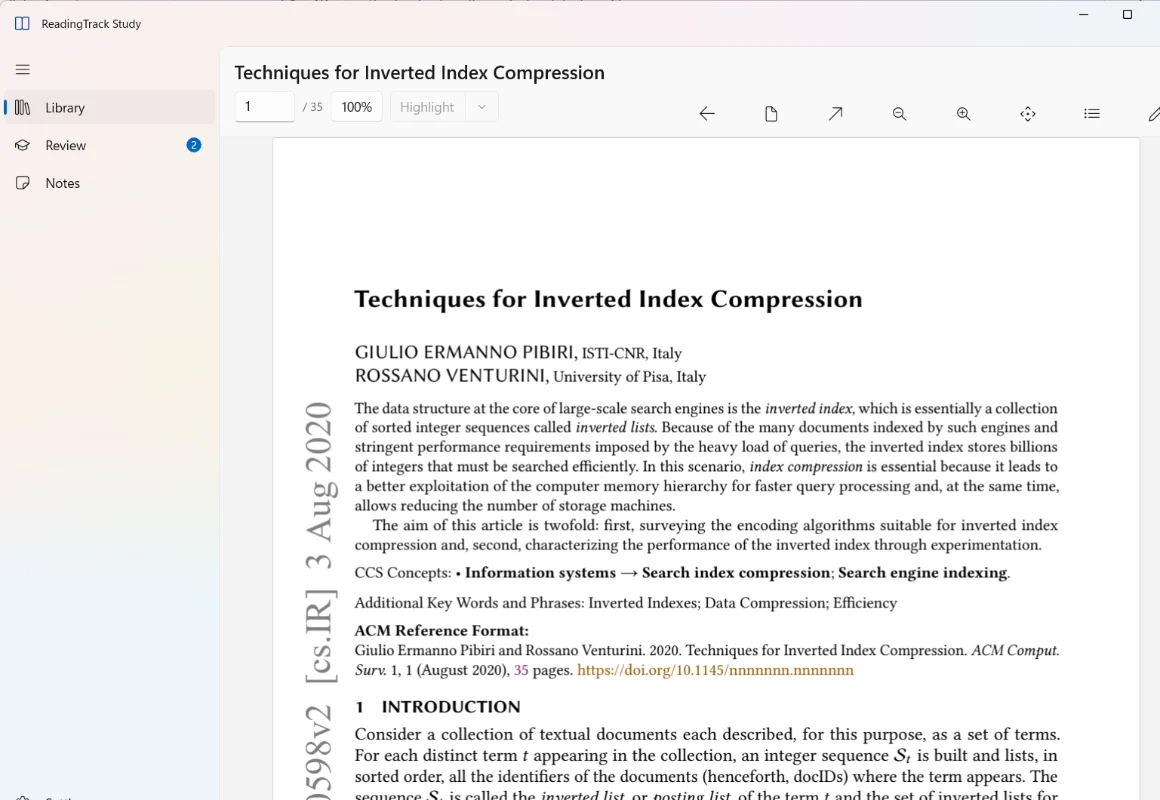
Study keeps the whole loop in one app on your PC: read the paper, mark what matters, say it in your own words, and see it again on a schedule that fits how well you know it.
PDFs open quickly and scroll smoothly. Search finds a phrase on any page of any PDF in your library, as you type.
Turn a highlight into a question. Daily review schedules each card with FSRS and brings back older highlights you haven’t revisited.
Write what you understood, link the passages it came from, and jump back to the exact page.
Articles you saved to ReadingTrack appear in Study, open offline and are searchable by their text. Saved papers open as PDFs.
The PDFs you open, their text index, your highlights, notes, cards and review history. Study does not upload your PDF files.
Your saved web articles, their highlights and your web review queue. Highlights you add to web articles in Study are saved to your ReadingTrack account, and copies of the articles are kept on your PC so they open offline.
Study forgets your ReadingTrack session and removes the web articles it kept for offline reading. Your own PDFs and their highlights stay in Study.
Study is new. The reader, highlights, notes, cards, daily review and your web articles work today. Expect rough edges, frequent updates and the occasional thing that breaks.
We invite readers in small groups so we can listen. Tell us what gets in your way and what you would miss if it were gone. Windows comes first; Mac and Linux follow on the same core.
Save articles for Study with the Chrome extension →Sign in with your ReadingTrack account and ask to join. It takes a few seconds.
We invite readers in small groups and email you a download link for Windows.
Import a PDF or open a paper you saved to ReadingTrack. Highlight, make a card, and review it tomorrow.
What the product does, where it helps, and what the numbers mean.
A Windows app for reading and studying PDFs, connected to your ReadingTrack account. Read papers and books in a native reader, highlight passages, write notes, and turn highlights into review cards. A daily review schedules each card with FSRS, a spaced-repetition method that adapts to how well you remember it.
A PDF library with search across every page; a reader with highlights in five colours and notes; cards from highlights and a daily review that also brings back older highlights; Markdown notes linked to the passages they came from; and the web articles you saved to ReadingTrack, readable offline and searchable by their text. Papers and PDF links you saved on the web open as PDFs. Expect rough edges and frequent updates.
No. PDFs you open in Study stay on your PC. Signing in to ReadingTrack lets Study show your saved web articles, their highlights and your web review queue, and saves highlights you add to those articles to your account. Copies of web articles are kept on your PC so they open offline; signing out removes them.
A 64-bit Windows 10 PC (version 2004 or later) or Windows 11. A ReadingTrack account is needed for early access and for your web articles; reading your own PDFs works without signing in.
Not yet. Study is built so the same core can power Mac and Linux apps, and those come after the Windows version. There are no dates yet; join early access to hear first.
Sign in and request access. We invite readers in small groups and email you a download link when your invite is ready. Study is free during early access. When it launches, it will have a free version; some features may be part of ReadingTrack Pro, as on the web. See readingtrack.com/pricing.
Request access with your ReadingTrack account. We’ll email you when your invite is ready.